
Photo Blend-Double Exposure Overlays
Blend two or more photos into a single picture to create a fantastical, magical blend effect.

It’s always better to have more than one – in photos as well. Blend your two or more images together and make outstanding photos with this photo blender app.
Blend two or more photos into a single picture to create a fantastical, magical blend effect. This Photo Blend – Double Exposure Overlays app is a simple yet incredible app with excellent photo editing tools; it easily integrates two or more images into a single image beautifully.
Add Image (Layer) Feature
The app allows you to add more than one image for photo blending. Images will be added to different layers automatically.
Editing Tools
With photo blending, the app offers various photo editing tools to enhance the beauty and quality of your photos.
How to Use Photo Blend – Double Exposure Overlays app?
Step 1:- After downloading the app, click on the ‘Start Blending’ button and select the social media canvas ratio.
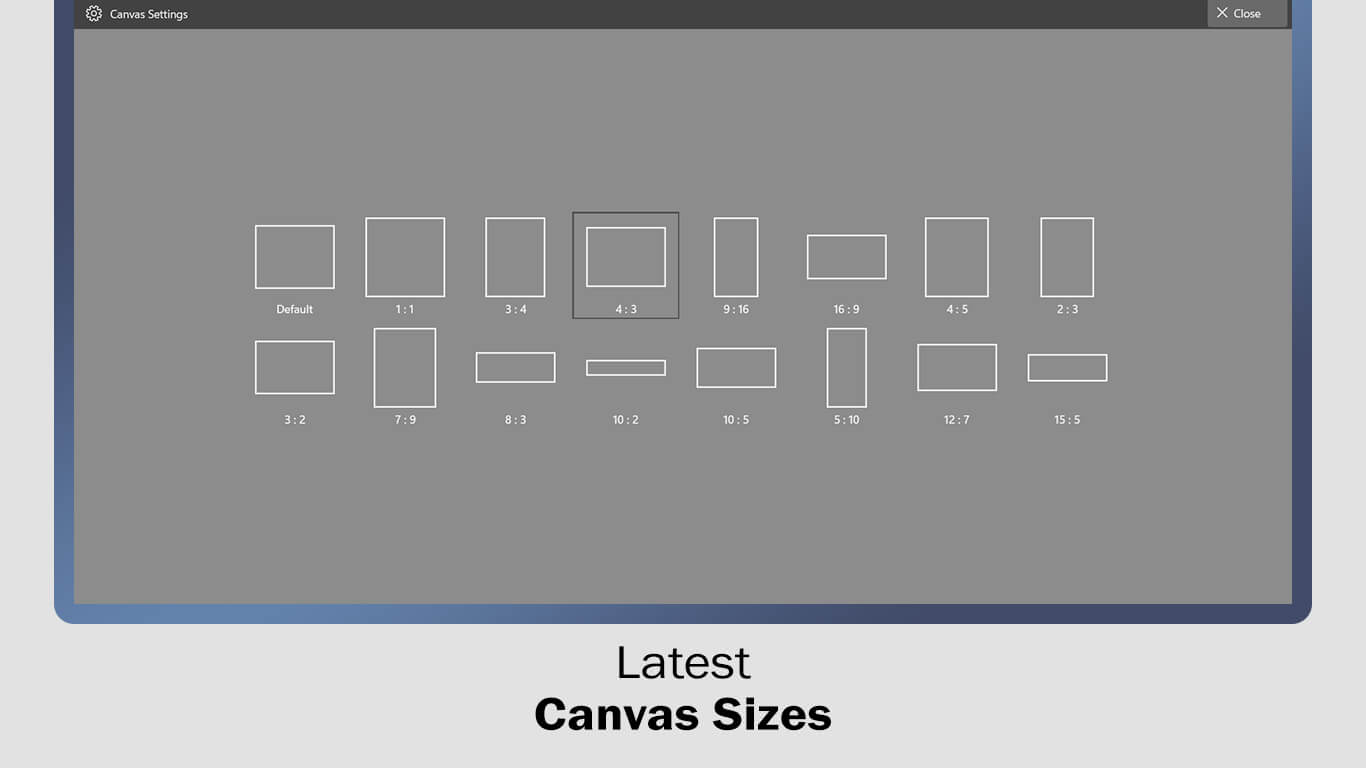
Step 2:-
- After choosing the canvas ratio, click on the ‘Gallery‘ or ‘Camera‘ button to select an image from the system gallery or capture an image using the camera.
- Additionally, you can adjust canvas settings such as opacity, rotation, scale, side blur, change layers, and modify the background, colors, and gradients.
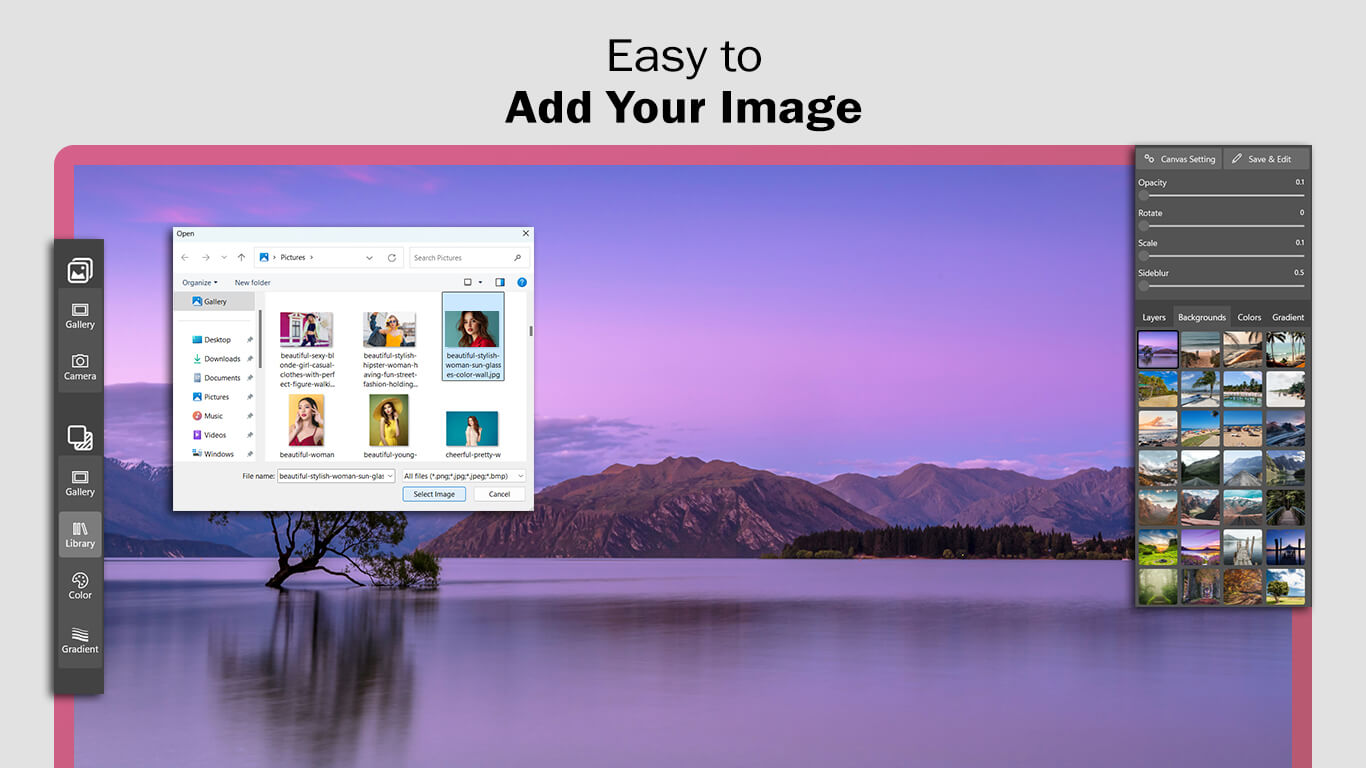
Step 3:
- After selecting or capturing the image, crop, rotate, and flip it. Then, click on the ‘Crop & Next‘ button to move to the next editing feature.
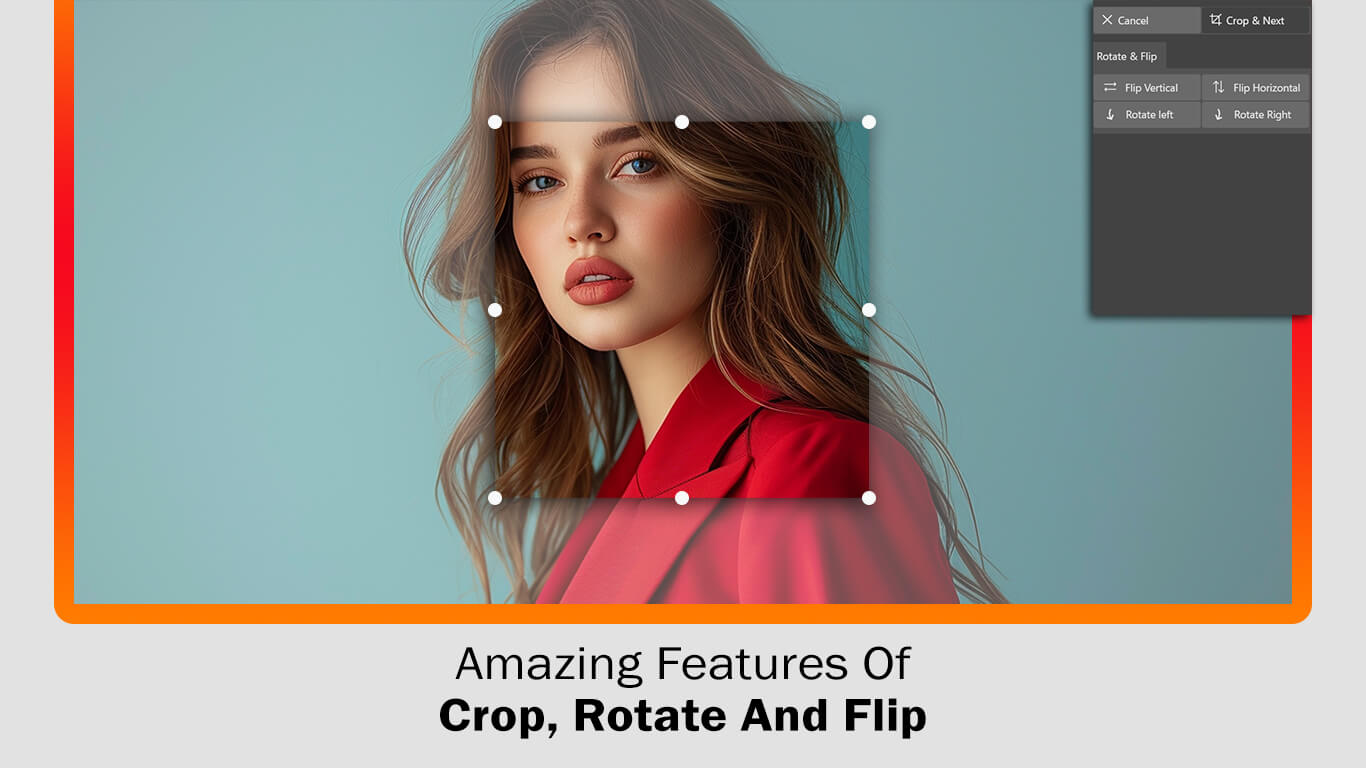
Step 4:-
- Features of the Photo Blend – Double Exposure Overlays app: Create amazing blend effects with the Photo Blend – Double Exposure Overlays app by using more than two images for photo blending. Download the app today and showcase your creativity to the world.
- Next, click the ‘Gallery‘ button again and choose an image from your system gallery to create double exposure overlays.
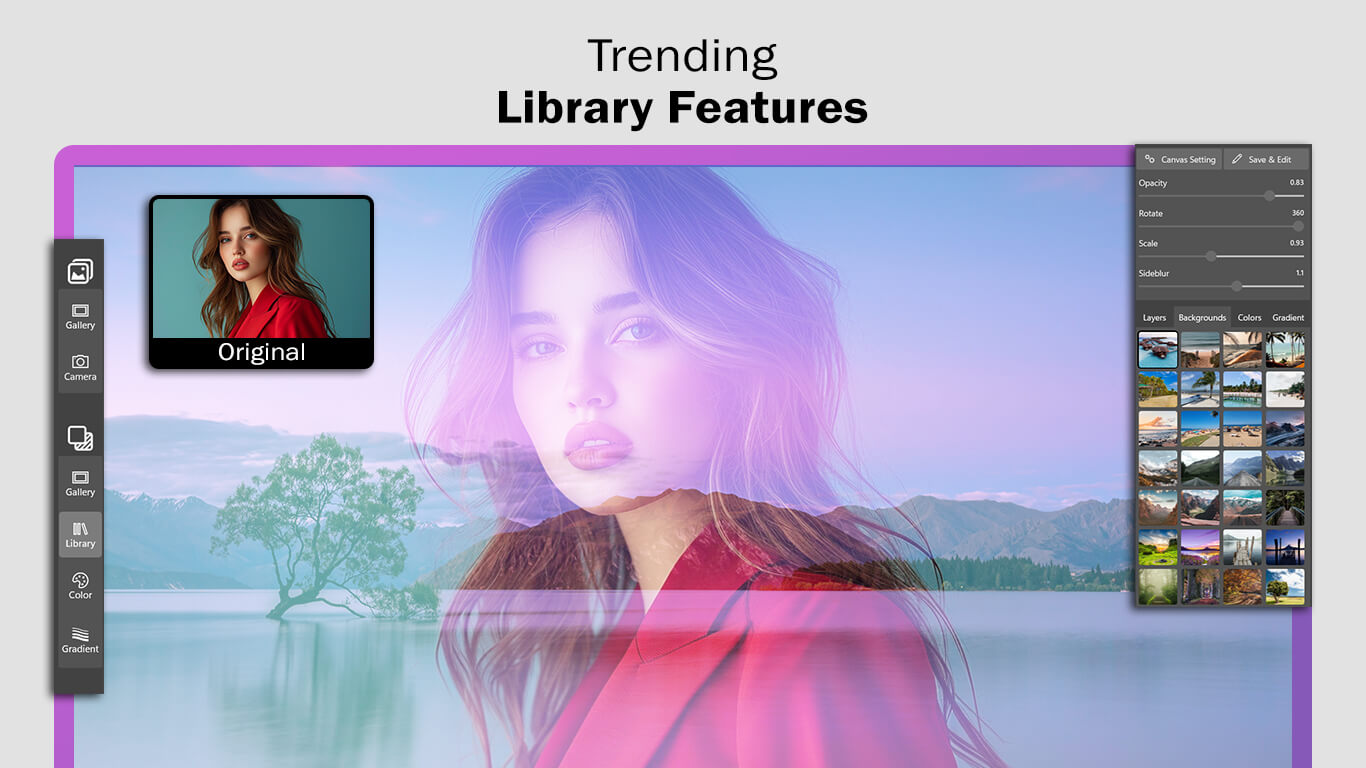
Step 4:-
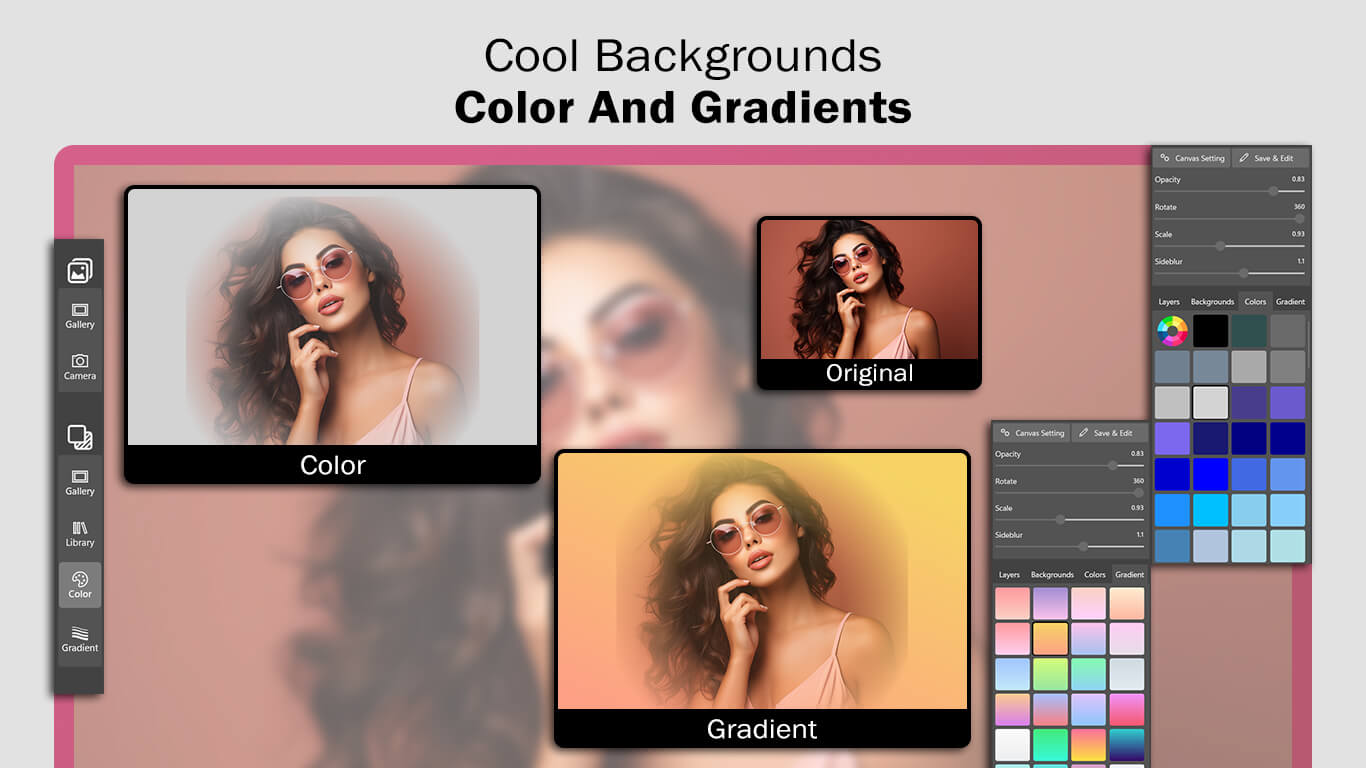
- Next, click on ‘Color‘ and choose your favorite color to enhance your creation. Add a blend to your image. You can also adjust the opacity, rotation, scale, and side blur.
- After applying colors, click on the ‘Gradients‘ button next and choose your favorite gradient color to apply. You can also add a layer or change the background.
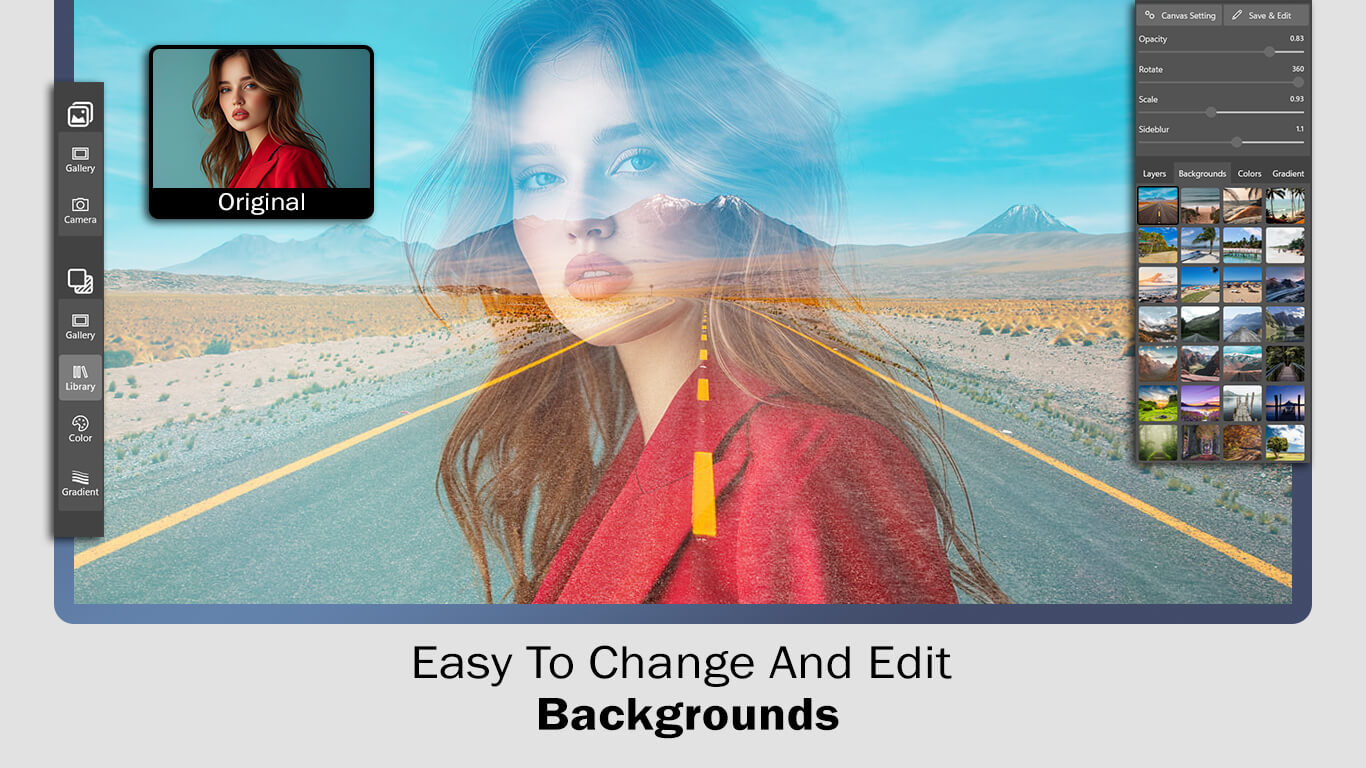
After applying gradients, click on the ‘Save & Edit‘ button to move to the next editing feature.
- Next, click on the ‘Adjust‘ button to adjust exposure, temperature, tint, contrast, and saturation.
- After adjusting, click on the ‘Filter‘ button, choose your favorite filter effect, and apply it to your photo creation.
- The ‘Blur‘ button allows you to choose a color, adjust the color mix and blur mix, and apply the blur color effect to your photo blend double exposure creation.
- Click on the ‘Border‘ button, choose your favorite color, adjust the thickness and corners, and apply the border to your photo blend double exposure creation.
- Click on the ‘Text‘ button to add a name or write your thoughts on your photo blend creation. You can also change the font style, text color, adjust text opacity, and more.
- The ‘Stickers‘ button allows you to add a sticker and make your photo blend image more meaningful. The app provides a lot of trending stickers—just choose your favorite and apply it.
All done! Now click on the ‘Save‘ button to save your creation, and start sharing it on your favorite social media with family and friends.
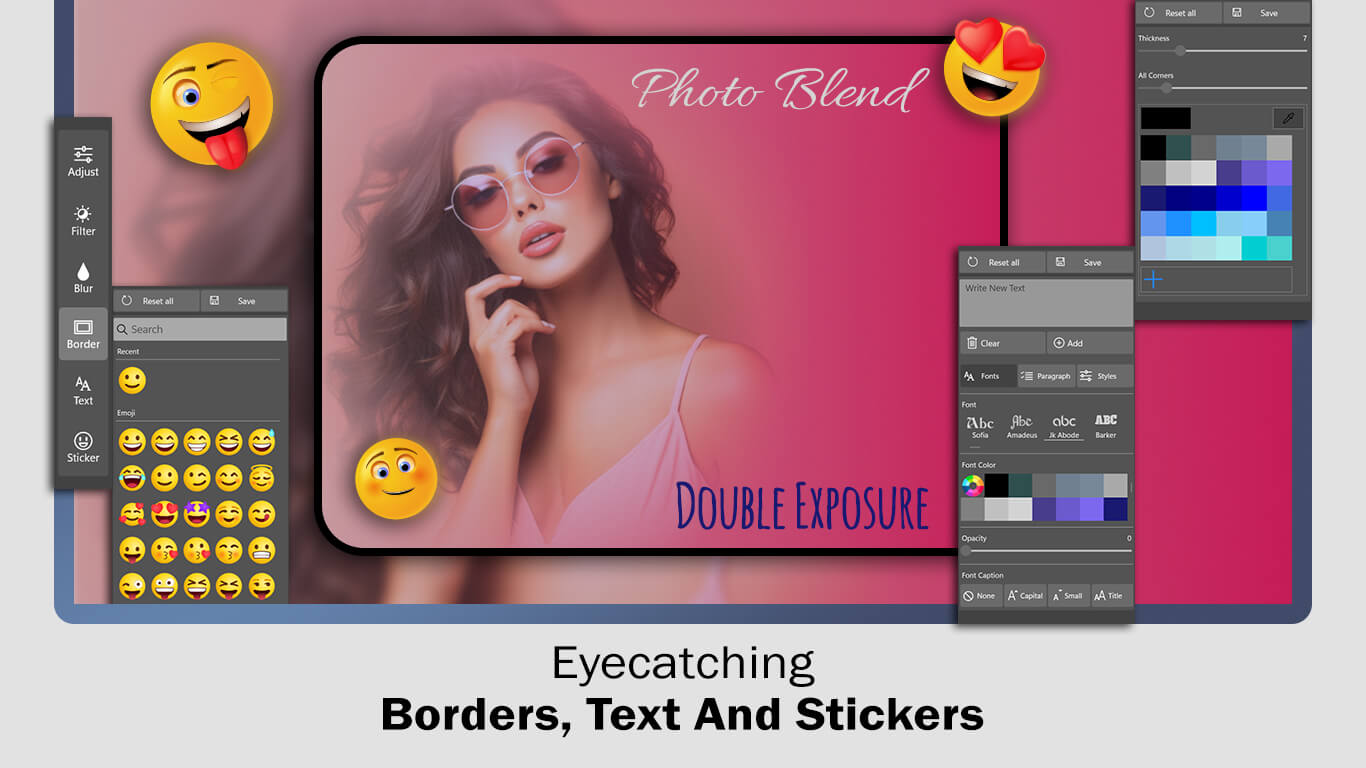
Photo Blend – Double Exposure Overlays FAQs
Everything you need to know about Photo Blend – Double Exposure Overlays for Windows. Learn how to blend multiple photos, create artistic double exposure effects, apply overlays, use filters, add text and stickers, work with multiple layers, and create stunning photo compositions using this powerful Windows photo editing application.
🎨 What is Photo Blend – Double Exposure Overlays?
Photo Blend – Double Exposure Overlays is a creative Windows photo editing application that lets you combine two or more photos into a single artistic image. Using multiple layers, blend effects, overlays, filters, gradients, and professional editing tools, you can create eye-catching double exposure artwork, posters, social media graphics, and creative photo compositions with ease.
👨💻 Who should use Photo Blend – Double Exposure Overlays?
The application is ideal for photographers, graphic designers, content creators, students, social media users, digital artists, bloggers, marketers, freelancers, and anyone who wants to create unique photo blending effects without using complicated editing software.
🖼️ What is a Double Exposure photo?
A double exposure image combines two or more photographs into one creative composition. This technique blends portraits, landscapes, textures, cityscapes, or artistic backgrounds to create unique visual effects that look both professional and imaginative. :contentReference[oaicite:1]{index=1}
➕ Can I blend more than two photos together?
Yes. The application supports multiple image layers, allowing you to blend more than two photos into a single composition. Each image is automatically placed on its own layer, giving you greater creative control while designing your artwork. :contentReference[oaicite:2]{index=2}
🎨 What editing tools are included?
Photo Blend includes crop, rotate, flip, opacity adjustment, scaling, color editing, gradient backgrounds, blur effects, borders, exposure adjustment, contrast, saturation, temperature, tint, filters, text, stickers, layer management, and background customization to help create professional-quality photo blends. :contentReference[oaicite:3]{index=3}
🌈 Can I apply overlays, filters, and gradients?
Absolutely. You can enhance your blended images with creative overlays, artistic filters, colorful gradients, blur effects, and custom backgrounds to create cinematic, fantasy, vintage, modern, or artistic photo designs.
📝 Can I add text and stickers?
Yes. The application allows you to add names, quotes, captions, promotional messages, titles, and custom text using different fonts, colors, opacity settings, and styles. You can also decorate your designs with a large collection of modern stickers and graphic elements. :contentReference[oaicite:4]{index=4}
📷 Can I use photos from my computer or camera?
Yes. You can import images directly from your computer gallery or capture new photos using your camera. After selecting your images, you can crop, rotate, blend, reposition, and customize each layer to create your desired composition. :contentReference[oaicite:5]{index=5}
📱 Can I create social media graphics and posters?
Yes. Photo Blend is perfect for creating Instagram posts, Facebook covers, YouTube thumbnails, Pinterest graphics, WhatsApp status images, promotional banners, posters, digital artwork, profile pictures, wallpapers, and marketing visuals using customizable canvas sizes and creative blending effects.
💾 Can I save my blended photos in high quality?
Yes. Once your editing is complete, you can export your artwork in high quality for printing, websites, presentations, social media, digital portfolios, and personal collections while maintaining excellent image clarity.
🌐 Does Photo Blend – Double Exposure Overlays work offline?
Yes. After installation, the application works offline for photo blending and editing. You can create, edit, and save your designs anytime without requiring a continuous internet connection.
🖥️ Which Windows versions are supported?
Photo Blend – Double Exposure Overlays is designed for Windows 10 and Windows 11. It delivers smooth performance on desktops, laptops, and compatible Windows devices.
🎯 What types of projects can I create?
You can create double exposure portraits, artistic photo blends, movie posters, album covers, wallpapers, fantasy artwork, travel collages, wedding memories, social media graphics, business advertisements, promotional banners, greeting cards, profile pictures, and digital art projects using multiple blending layers and creative editing tools.
📥 Where can I download Photo Blend – Double Exposure Overlays?
You can download the application from its official Microsoft Store listing. CharacterCountInfo.com also provides detailed tutorials, screenshots, installation guides, feature explanations, and step-by-step editing tips to help you create stunning double exposure artwork quickly. :contentReference[oaicite:6]{index=6}
⭐ Why choose Photo Blend – Double Exposure Overlays?
Photo Blend – Double Exposure Overlays combines multi-layer photo blending, creative overlays, artistic filters, advanced photo adjustments, stickers, text tools, gradients, blur effects, borders, and high-quality exports in one lightweight Windows application. Whether you're creating digital artwork, social media graphics, promotional designs, or creative photo compositions, it provides everything you need to produce professional-quality blended images with ease.